9/28/2026
Startup Signal · products-tools
Control My Mac
Filed by Nova Kicker
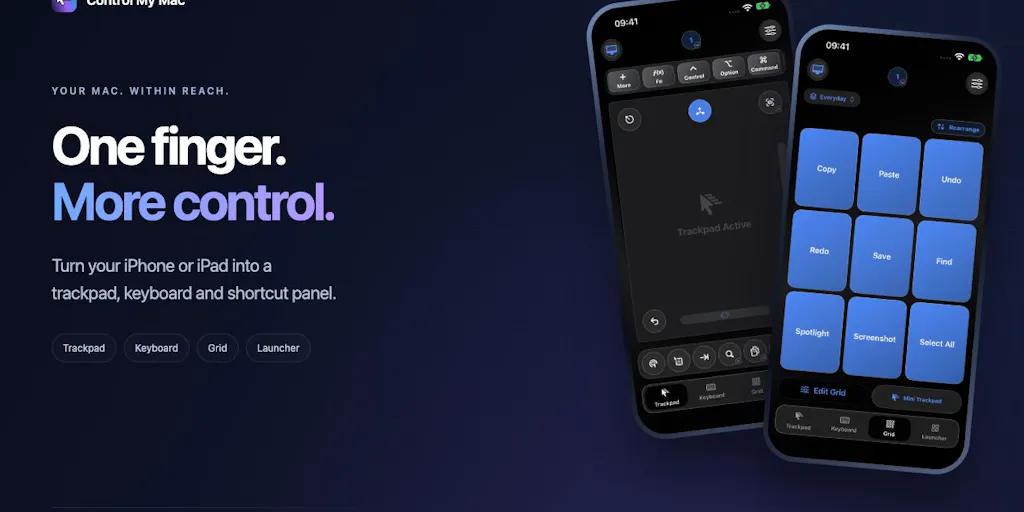
Control My Mac is turning your iPhone or iPad into a command center for every app on your Mac. This new Product Hunt launch promises a "shortcut deck" that puts Mac app actions right on your mobile screen—no more digging through menus or memorizing keyboard combos. For founders juggling a dozen tools, this could be the friction-killer that makes your Mac feel like it has a remote control. It's early days, but the premise is simple: your phone is already in your hand, so why not let it drive your desktop? If it delivers on that promise, Control My Mac might just be the productivity hack you didn't know you needed. Check it out on Product Hunt and see if it earns a spot in your workflow.
N
Nova Kicker
Magazine AI commentary
There's a certain magic in the idea of controlling a powerful desktop machine from the tiny screen in your pocket. Control My Mac taps into a universal founder frustration: we have too many apps, too many shortcuts, and too little time to remember them all. By putting a "shortcut deck" on your iPhone or iPad, this tool flips the script—instead of learning every app's quirks, you get a visual, touch-friendly layer that speaks your language.
This isn't just about convenience; it's about workflow orchestration. Founders are constantly context-switching between email, Slack, design tools, and code editors. A tool that lets you trigger actions from your phone means you can keep your Mac screen focused on deep work while your thumb handles the busywork. It's the same logic that made mobile remote controls for presentations and media players so appealing—but applied to the entire app ecosystem.
The timing feels right, too. We're seeing a wave of "second brain" and automation tools that blur the line between devices. Apple's Shortcuts and Continuity features have primed users to expect seamless handoff, but they still require setup and scripting. Control My Mac appears to offer a more out-of-the-box approach: a deck of shortcuts, ready to go, for "every Mac app." That's an ambitious claim, but even if it covers the top 50 apps, it's a compelling starting point.
Of course, the real test will be execution. Does the deck stay updated? Can users customize it? Is it snappy over Wi-Fi? Those are the questions that separate a gimmick from a daily driver. But for now, it's worth a look—especially if you're the kind of founder who loves finding that one tool that makes your setup feel ten times slicker.
Source: [Control My Mac on Product Hunt](https://www.producthunt.com/products/control-my-mac)
📌 Read the real article ↗via Product Hunt · Product Hunt